Farm Expense Spreadsheet (Free Google Sheets, Mapped to Schedule F)
A free farm expense spreadsheet for farmers and ranchers who file Schedule F. Every receipt mapped to its tax line, plus the mileage and home-office rules most farm templates get wrong.

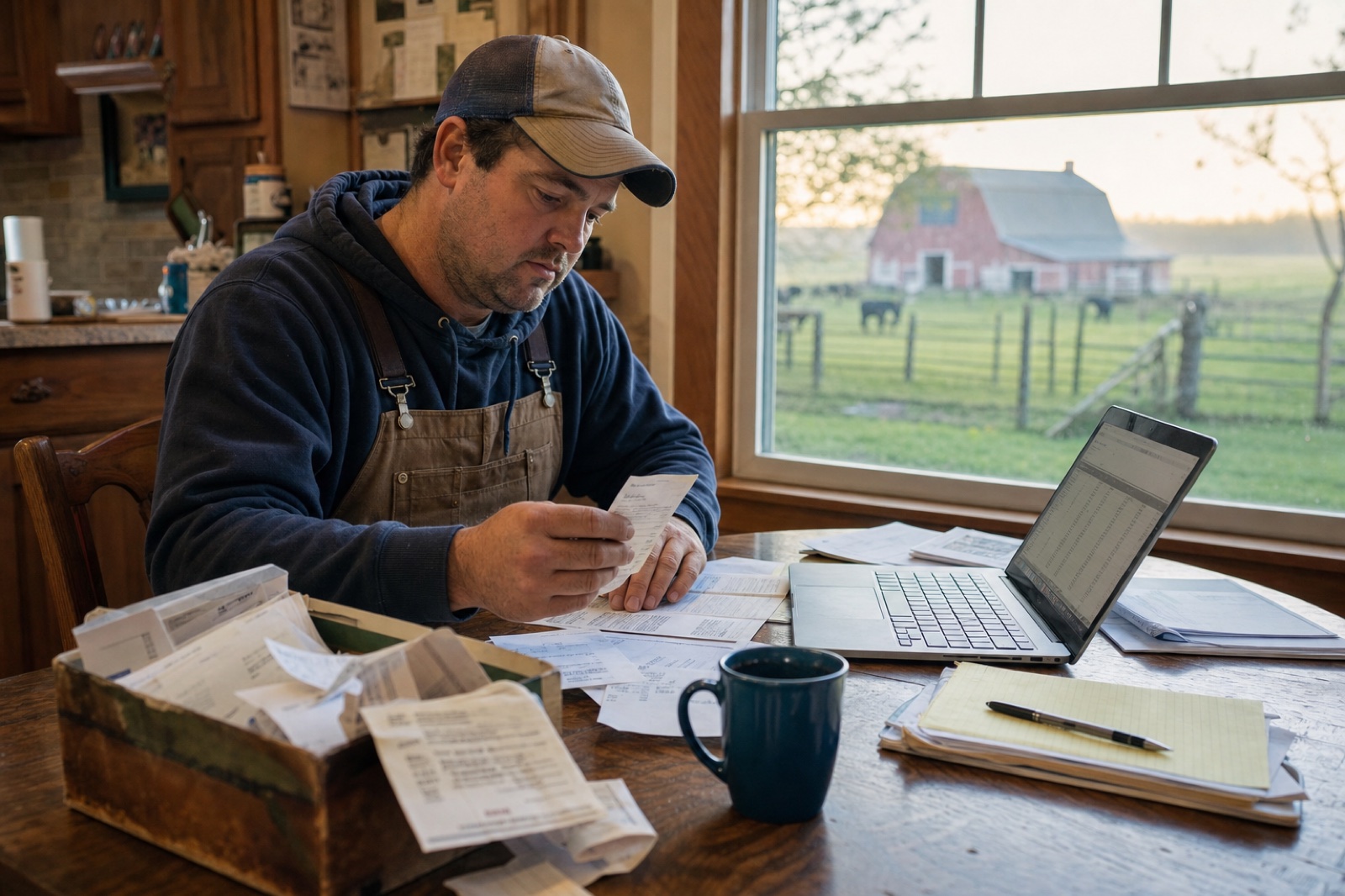
Most farm expense spreadsheets are built for the wrong tax form.
They hand you columns like "Office," "Travel," and "Misc.," which is a Schedule C layout, and farmers don't file Schedule C. You file Schedule F. It has its own 23 expense lines, with names like Feed, Fertilizers and lime, and Veterinary. So I built a free farm expense spreadsheet around those exact lines. Make your own copy in Google Sheets, no email required. If you'd rather work in Excel, choose File then Download once the copy opens.
Tag each receipt once, pick its Schedule F line from a dropdown, and the sheet totals every line for you. At tax time you copy the numbers straight onto the form.
Why I built this around Schedule F lines
Only 6 of our 31 farm customers tag receipts in a way that lines up with the tax form. I pulled our own records before writing a word. We have 31 working farms and ranches in our books, and over two years they scanned 43,148 receipts, so this isn't a guess.
Most of them drop receipts into generic buckets: Auto/Fuel, General Retail, Supplies, Groceries. Only 6 of the 31 used a category called "Farm," and four used "Ranch." The rest filed diesel, feed, and fence wire under labels that don't appear anywhere on a tax return. These are organized folks who scan everything, not stragglers.
It's a mapping problem, not a discipline problem. A receipt tagged "General Retail" still has to be sorted onto a Schedule F line by hand, usually in April, usually from a shoebox, usually from memory. This spreadsheet does that sorting the day the receipt comes in. If you don't file Schedule F, our general small business expense spreadsheet and income and expense worksheet map to Schedule C instead.
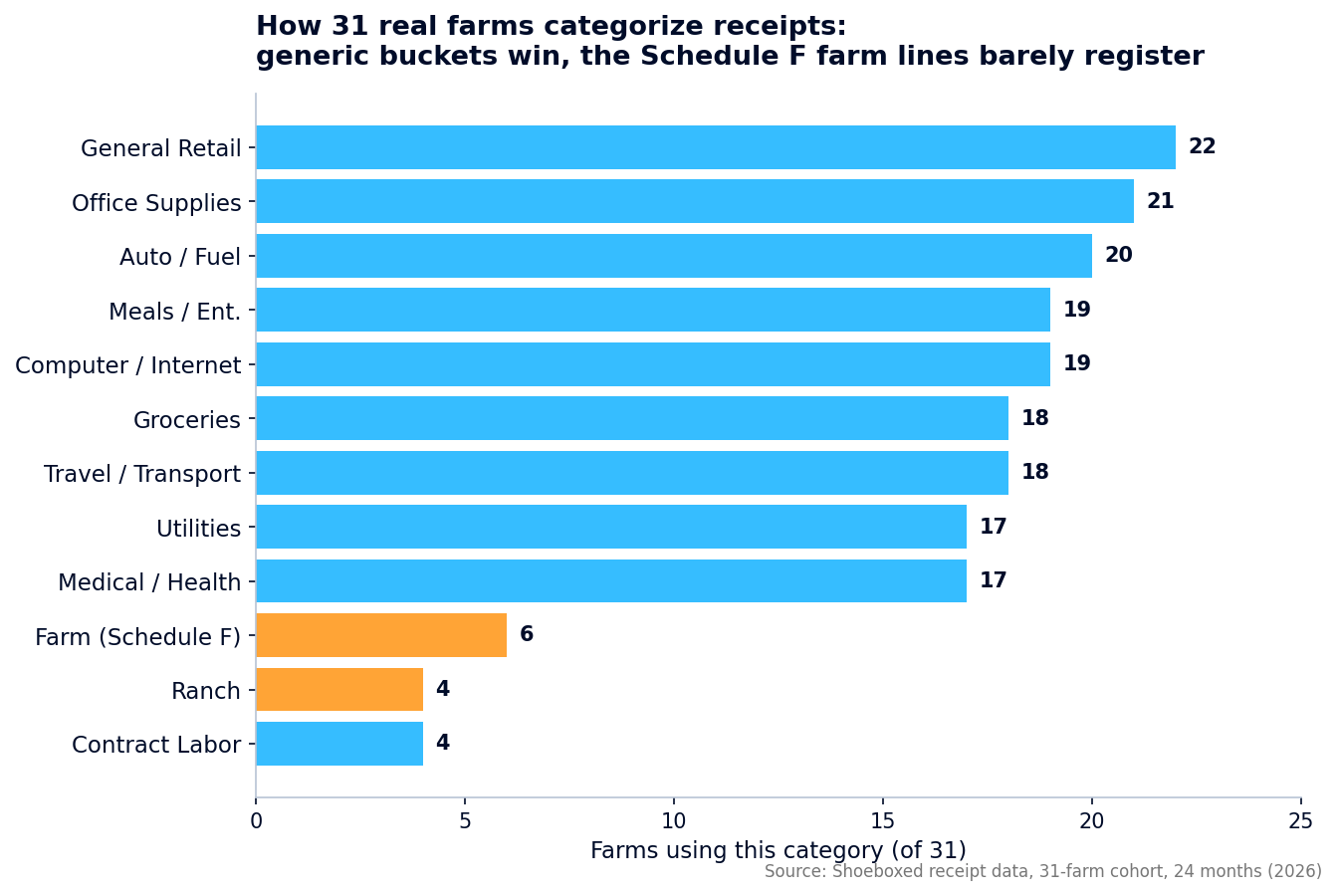 How 31 real farms in our records tag their receipts. The generic buckets win; the farm-specific Schedule F categories barely register. Illustrative chart from Shoeboxed cohort data.
The 23 Schedule F expense lines (what goes where)
Schedule F Part II lists every expense category the IRS expects from a farm. The spreadsheet's dropdown is this exact list, so you never have to guess. Here are the lines and what belongs on each.
| Line | Category | What goes here |
|---|---|---|
| 10 | Car and truck | Farm truck miles or actual vehicle costs (also attach Form 4562) |
| 11 | Chemicals | Herbicides, pesticides, sprays |
| 12 | Conservation expenses | Soil and water conservation work |
| 13 | Custom hire | Hired machine work (combining, baling) |
| 14 | Depreciation / Section 179 | Tractors, equipment, buildings you write off |
| 15 | Employee benefit programs | Benefits for hired help |
| 16 | Feed | Livestock feed and supplements |
| 17 | Fertilizers and lime | Fertilizer, lime, soil amendments |
| 18 | Freight and trucking | Hauling animals or crops |
| 19 | Gasoline, fuel, and oil | Off-road farm fuel (not the truck on line 10) |
| 20 | Insurance (not health) | Crop, liability, farm property insurance |
| 21 | Interest | Mortgage and other farm loan interest |
| 22 | Labor hired | Wages to farm workers |
| 23 | Pension / profit-sharing | Retirement plans for employees |
| 24 | Rent or lease | Leased land, equipment, animals |
| 25 | Repairs and maintenance | Fixing equipment, fences, buildings |
| 26 | Seeds and plants | Seed, seedlings, transplants |
| 27 | Storage and warehousing | Grain storage, cold storage fees |
| 28 | Supplies | Tools, hardware, general farm supplies |
| 29 | Taxes | Property and other farm taxes |
| 30 | Utilities | Farm electric, water, phone |
| 31 | Veterinary, breeding, medicine | Vet bills, breeding fees, animal meds |
| 32 | Other expenses | Anything legitimate that doesn't fit above |
Tag a receipt with one of these lines. The summary panel adds it to that line's running total. Line 33, the total line on the form, sums them all into your total farm expenses.
How to use the spreadsheet
Five steps, about 30 seconds per receipt through the year.
- Make your own copy in Google Sheets, or use File then Download for Excel.
- Fill in your farm name, your tax year, and your principal ag activity code. That code is a six-digit number for what you raise, listed on the Schedule F instructions: beef cattle is 112111, dairy is 112120, poultry is 112300.
- As receipts come in, add a row with the date, the vendor, the Schedule F line from the list, and the amount.
- For the farm truck, enter a dollar amount or log the miles. The sheet multiplies miles by the 2026 rate of 72.5 cents and folds it into line 10.
- At tax time, read the summary panel and copy each line total onto Schedule F.
The work happens 30 seconds at a time through the year instead of in one miserable April weekend.
Farm mileage: which drives count
Business driving counts. Commuting and personal driving don't. The farm truck is often a farm's biggest deduction and the one folks record worst, so the rule from IRS Publication 463 is worth getting right. Here's the plain version for a working farm.
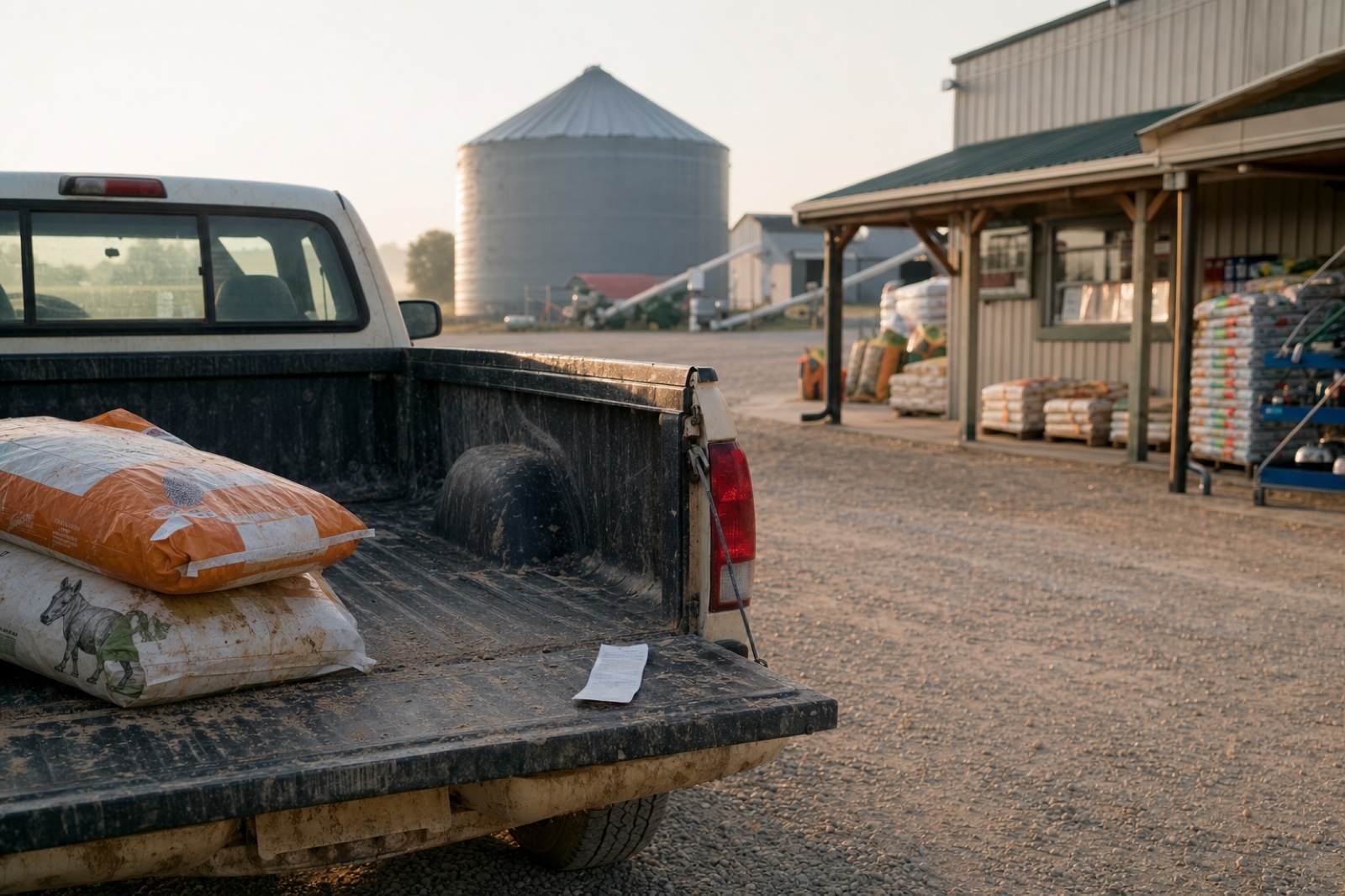 The drive to the co-op counts as business miles. Keep the receipt and log the trip. Illustrative photo, not an actual customer receipt.
Counts as business miles:
- ✓ Farm to the feed store, co-op, vet, or any supply run
- ✓ Farm to a livestock auction, or hauling crops and animals to market
- ✓ Between fields, leased ground, or a second farm site
- ✓ To the bank, accountant, or ag lender on farm business
- ✓ To a temporary work site like a custom job or a market booth
Does not count:
- ✗ Home to a separate off-farm job, which is commuting and never deductible
- ✗ Personal errands, even in the farm truck
- ✗ The personal half of a trip that mixed business and personal stops
One rule can turn your daily driving into deductible miles. If your home farm office is your principal place of business, then driving from there to the fields, the co-op, or the vet counts as business driving, not commuting. That office has to pass the exclusive-use test in the next section first.
Once it does, keep the log so you can prove the trips. Four fields each: date, where you went, why, and miles. The spreadsheet's Mileage Log tab does exactly that, and our standalone mileage log template goes deeper if mileage is a big piece of your farm.
The home office deduction farmers almost always file wrong
This is the one I see folks botch most. Generic templates and half the tax blogs tell every self-employed person to file Form 8829 for the home office. That instruction is wrong for you, because Form 8829 is for Schedule C filers.
A farmer reports the home office deduction on Schedule F, line 32. You figure it with the home office worksheet in Publication 587, not on Form 8829. Follow the 8829 instruction and your numbers land on the wrong form.
Before any of that, the space has to pass the exclusive-and-regular-use test. In plain terms: you only do farm work in that spot, and you use it for the farm regularly, not once in a blue moon.
Qualifies:
- ✓ A room or marked-off area used only for farm books, billing, and planning
- ✓ The place you do the farm's admin work when you have no other fixed office
- ✓ A separate farm office building used regularly for the business
- ✓ An area used regularly to store farm inventory or product samples
Does not qualify:
- ✗ The kitchen table or den you also use personally
- ✗ A guest room that's an office sometimes and a bedroom other times
- ✗ A space you use only now and then
How you lose the deduction: using the office for anything personal. One family movie night in the room that's supposed to be farm-only, and it fails the exclusive-use test for the whole year. Keep it farm-only.
If it qualifies, you pick a method. The simplified method is $5 per square foot up to 300 square feet, so $1,500 at most, and it needs no receipts. The actual method has no cap. You figure what share of the home the office takes up. Then you deduct that share of your mortgage interest, utilities, insurance, and repairs.
The spreadsheet's Home Office tab runs both so you can see which is bigger. Our free home office deduction calculator does the same math from your address if you don't want to key it in.
Keep the receipts, not just the spreadsheet
The IRS wants the receipt behind every Schedule F line, not just your spreadsheet total. They want the date, the amount, and the business purpose, and a row in a spreadsheet won't carry that weight alone.
So keep the paper, or better, keep a picture of it. Receipts riding around on the dashboard fade, and thermal paper from the co-op often goes blank inside a year. Snap each one when you get it and the image is safe no matter what the original does.
That's the part we do for a living. You photograph a receipt with the phone app, or mail us a stack in our prepaid envelope, and our team types up the vendor, date, and total and stores it with the image. It's the typing and the filing done for you, so the shoebox on the truck seat stops being a someday problem.
Frequently asked questions
What 's the difference between Schedule F and Schedule C for a farm?
Schedule F is the farm form, used to report income from raising crops, livestock, poultry, or dairy. Schedule C is the form for other small businesses. If you raise and sell farm products, you file Schedule F. That's why this spreadsheet maps to Schedule F lines, not the generic Schedule C buckets most templates use.
Can I deduct my truck and my home office as a farmer?
Yes to both, with rules. Farm truck miles go on Schedule F line 10 at 72.5 cents a mile for 2026, as long as the driving is business and not commuting. The home office goes on Schedule F line 32, not Form 8829, figured with the worksheet in Pub 587, as long as the space passes the exclusive-use test.
Is the spreadsheet free?
Yes. Make a copy in Google Sheets, no email required, or use File then Download to get it in Excel. It includes the Schedule F expense sheet plus bonus tabs for the home office and mileage logs.
Do I still need to keep receipts if I use the spreadsheet?
Yes. The spreadsheet organizes your totals. The IRS still wants the receipt behind each one: date, amount, and business purpose. Keep the paper or a photo of it. Shoeboxed stores the images and the data together if you want that handled for you.
Grab the free farm expense spreadsheet, tag your receipts as they come in, and let the Schedule F totals build themselves. Beats doing it all in one sitting next April.
About the author
I'm Doug. I bought Shoeboxed in late 2025 with an SBA loan, after fifteen years of running other people's companies as CEO. I use it on my own business every day. Farmers leave real money on the table at tax time, and a tracker that maps to Schedule F is the simplest fix I know. If you'd rather not type up receipts at all, that's the part we handle: snap a photo or mail us a shoebox, and our team in Durham keys in the vendor, date, and total and stores it with the image.
Start a Shoeboxed account → Shoeboxed Pro runs $29 a month with a 30-day risk-free guarantee.
Disclosure: I own Shoeboxed. The template above is free, and the tax rules cited link to IRS sources you can verify yourself.




 4.4 / 5 on