Shoeboxed for developers and AI
Shoeboxed already stores your receipts and tracks your mileage. Now you can reach that data three ways:
- From your own code with the API.
- From your terminal with the CLI.
- From your AI assistant with MCP.
API
Open nowThe API connects your own code to Shoeboxed, so your programs can read and add receipts, categories, and account data. We document every call, and you can try each one in your browser before you write a line of code.
CLI
Open nowThe CLI runs in your terminal, the text window where you type commands. Type your commands and get your receipts and information about them.
What it does:
- List your receipts by category, vendor, year, or date.
- Add up what you spent in any category.
- Pull your mileage write-off for the year.
- Export a tax packet: a folder of receipt PDFs, a spreadsheet, and one combined PDF for your accountant.
shoeboxed export --category "home office" --year 2026 --out ./home-office-2026Downloaded 15 receipts to ./home-office-2026
Wrote ./home-office-2026/summary.csv (15 receipts, $21,459.94)
Wrote ./home-office-2026/receipts.pdf (15 pages, ready for your accountant)Install it
You need Node 20 or newer. Then install it once with one line.
npm i -g @shoeboxed/cliUsing Claude Code or another AI assistant? Paste this page and say “set up the Shoeboxed CLI and pull my 2026 home office receipts.” Your assistant installs it and runs the commands for you. You still do the one setup step below yourself, because it lives inside your Shoeboxed account.
Connect your account
You use your own keys, so your login stays yours. You do this once.
- In your Shoeboxed account, open Settings, then My API apps, and create a new app. For the Redirect URL, enter
http://localhost:4517/callback. - Copy the client ID and client secret it gives you. Save them in a password manager like 1Password.
- Run
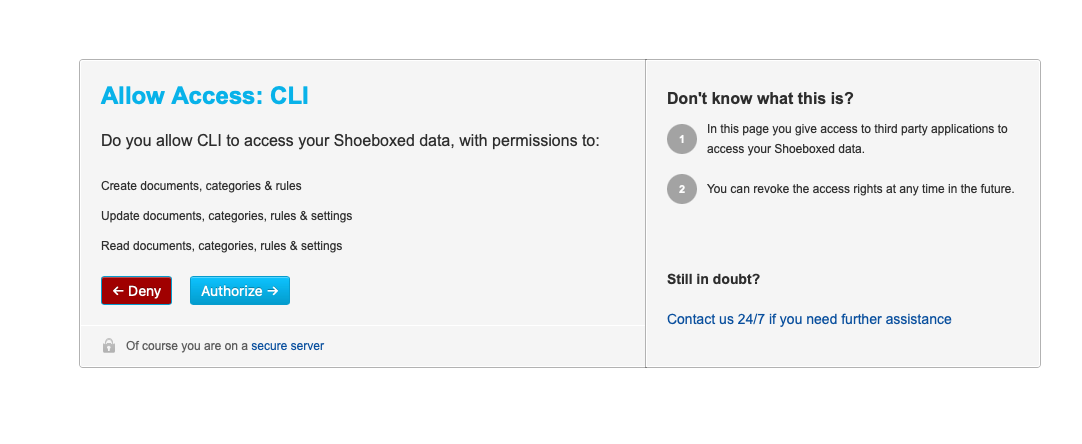
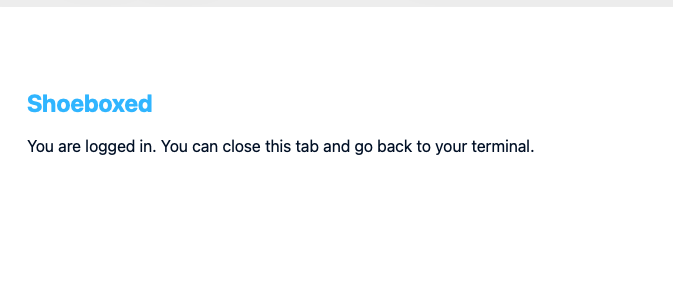
shoeboxed login, paste your two keys, and approve once in your browser. After that the CLI remembers you and never asks again.
Here is what that looks like:
Questions or trouble getting started? Email [email protected].
MCP
Coming soonMCP, short for Model Context Protocol, lets an AI assistant use outside tools. Our MCP server will connect Shoeboxed to Claude Code, Cursor, Codex, Windsurf, and Cline.
You ask in plain words, like “export my 2026 medical receipts,” and your AI runs Shoeboxed for you.
Tell me when MCP is readyYour data stays yours
We store your login in your computer’s keychain, the same encrypted store your browser uses for passwords, never in a plain text file. We log only the names of the commands you run so we can fix bugs, and you can turn even that off whenever you want. We never see your receipts, and they stay in your Shoeboxed account and go nowhere else.