The #1 receipt scanner app loved by over a million businesses
Turn your receipts into data with automatic data extraction for expense reporting, tax prep, and so much more.
 #1 best receipt tracking app, Forbes

“...better still is an app called Shoeboxed”

“If you’re looking for reliable storage for digital tax receipts, consider Shoeboxed.”

“Shoeboxed makes it stupid simple to scan receipts...”
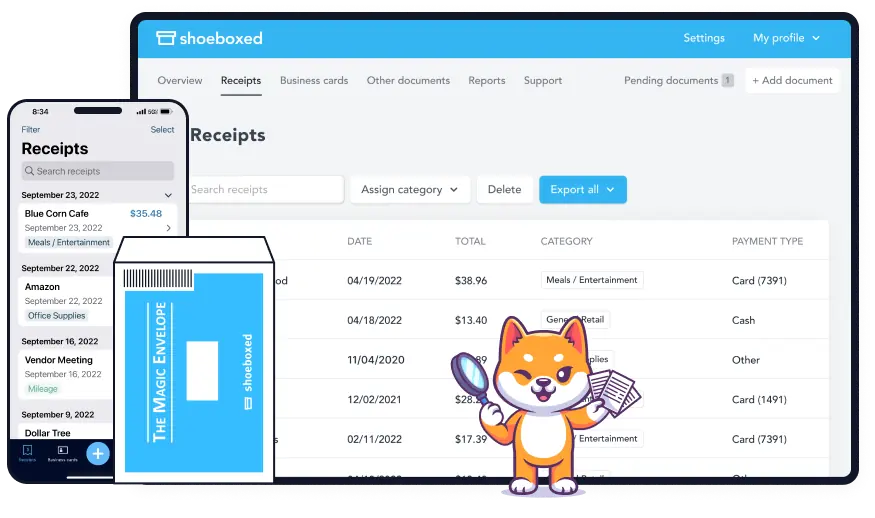
Receipt scanning app or receipt scanning service—your choice.
Send receipts in whichever way suits you.

Clear piles of paper receipts by mailing them to our processing facility for free with a postage-paid envelope from us. Then we’ll scan receipts into your Shoeboxed account.

Use our mobile app for quick and easy uploads and keep track of them all in one place. Our receipt app has OCR technology, converting printed text into searchable data.

Forward receipts to a designated Shoeboxed email address provided when you sign up. Any receipts that you forward will automatically appear in your Shoeboxed account.

Install our custom Gmail plugin to auto-import digital receipts to the Shoeboxed dashboard. The plugin finds e-receipts in your inbox and sends them to your Shoeboxed account.

Upload receipts to your Shoeboxed account from your laptop or desktop. With the drag-and-drop method, you can submit multiple receipts at one time.
Simplify daily bookkeeping tasks
Key features and tools built for small business owners, accountants, freelancers and bookkeepers.
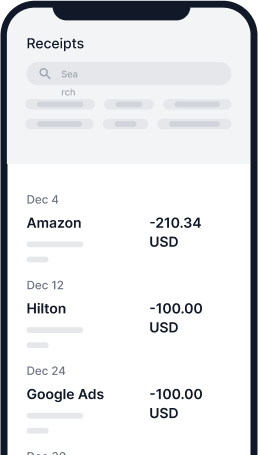
Turn receipts into data
Get your receipts turned into extracted, human-verified data that is categorized, organized, searchable, editable, and available anytime, anywhere.

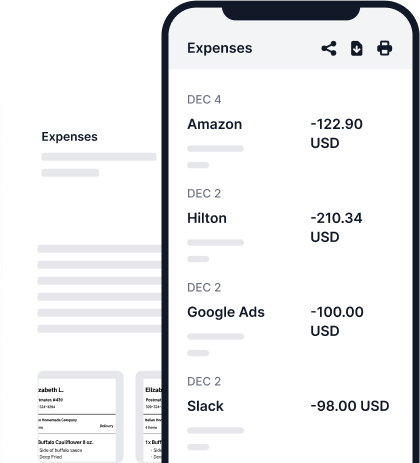
Create expense reports
Create a comprehensive expense report that includes images of all your expenses. Export, share, or print data for tax deductions or reimbursement.
Popular use cases for Shoeboxed
Bookkeepers & accountants
“Profit from efficiency. Clients prefer using Shoeboxed prepaid envelopes and that’s what makes Shoeboxed a superior product over their competitors.”

Peggy Miller
President, eAccounting Office, Inc.
Business owners & startups
“Using Shoeboxed has saved us at least 4 hours a week in our receipt management and project/overall expense tracking processes.”

Logan Asbury
Operations Manager at Loopflow.co
Teams & organizations
“We like the envelope process. It allows us to give our managers the envelopes and have them drop it in the mail with all the receipts from that day.”

Tiffany Bowen
Proprietor at Harlem Hookah
Solopreneurs & individuals
“I was going to keep doing it in QuickBooks, but I knew that your team was so on it and so helpful. And so I figured it would make life easier—and it has.”

Karl Isaac
Fractional Chief Brand and Marketing Officer


Always be audit ready
Shoeboxed’s digital images of your receipts are accepted by the Internal Revenue Service and the Canada Revenue Service in the event of an audit.
All your scanned receipts are:
- ✓Legibly scanned
- ✓Clearly categorized
- ✓Easy to locate
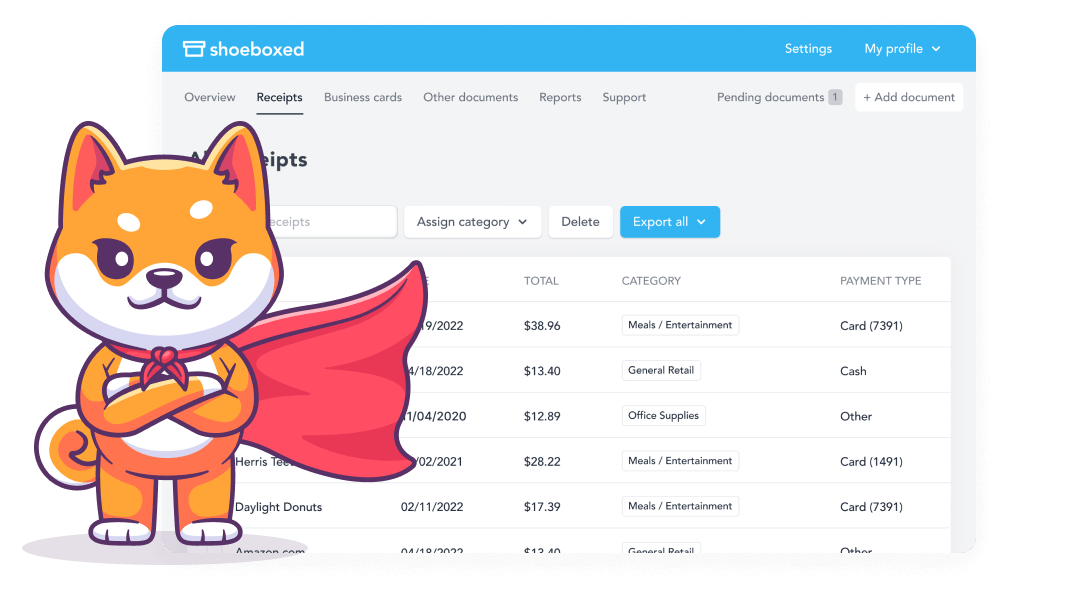
Receipt organization done right
Try our systematic approach to receipt categories for tax time.
- ✓Important receipt information is OCR-extracted
- ✓Data is automatically categorized into 15 tax categories
- ✓Search, edit & manage receipts quickly for expense reporting
- ✓Create custom reports with receipts attached
- ✓Track business mileage with our automatic mileage tracker, included in every plan
- ✓Add a bookkeeper or accountant as a sub-user for tax reports
- ✓Integrate with other accounting software & accounting tools
- ✓Provide easy access to sub-users for team collaboration
💰 Free Tool: Home Office Deduction Calculator
Work from home? You could be missing $1,500–$5,000/year in tax deductions. Our free calculator pulls your property data automatically and shows you exactly how much you could save.
Calculate Your Savings →*Named best receipt scanner app for tax season by Hubspot!
Use Shoeboxed’s app and scanning service to scan receipts and organize your wallet and office

1. Send in your receipts
Clear your desks and drawers of paper receipts by mailing them straight to our processing facility for free with our postage-paid Magic Envelope™! Or upload receipts with our iOS and Android receipt scanner app.

2. We extract receipt data
Our verification experts double-check extracted OCR data (vendor, total, date, sales tax, payment type, etc.). After the human-verifying step, the data is added to your cloud-based dashboard for easy expense tracking.

3. Organize & report
A valued feature of our receipt scanner is its function as an expense receipts organizer. Use 15 standard categorizations for filing taxes or create different categories for the best fit. Export your data at any time, including receipt scans.
Celebrated Illusionist vanishes uncertainty & wasted time with a Magic Envelope
“We now pile all receipts and documents we need scanned and sorted into the magic blue envelopes. We never ever have to see them or think of them again—until we need to, and then it is scanned clearly, sorted, organized, categorized, precisely! It’s impossible to quantify the value, but being that we don’t have to sort, scan, and spend hours searching, Shoeboxed is invaluable!”
Rob Lake
Illusionist on America’s Got Talent, Good Morning America, etc.
Read the full interview
Frequently asked questions
The IRS accepts receipt images as valid tax records provided the receipt scans meet the following criteria: (1) Receipt scans must be identical to their original versions. (2) Each receipt image must be clearly legible and readable. (3) In the case of an IRS audit, you must be able to produce hard copies of the scanned receipts (i.e., hard copies printed from scans). (4) Scanned documents must be stored in a secure place. See “Rev. Proc. 97-22 (Recordkeeping – Electronic Storage System)”, IRS.gov. Shoeboxed fulfills all the requirements for creating an IRS-accepted digital archive of receipts. And all of our receipt scanner plans have no limits on online storage.
See what our customers have to say
Learn how small businesses, sole proprietors, and entrepreneurs achieve more with Shoeboxed’s receipt scanner app & receipt scanning service. Click to read the case studies.
“It helps my organization and is cost-effective. It also helps in case of any IRS audit. I can easily find anything that I need. For me, it solves all the pain points.”

“Shipping out all your receipts, then getting it back all categorized... It's just convenient, easy, and satisfying.”

“Shoeboxed actually saved me during my IRS audit. They would ask me for the receipt. And I could go and type in the amount or whatever it was, and it would pull up on Shoeboxed.”





 4.4 / 5 on
Capterra, G2 Crowd
and a review score 4.5/5 on
Techradar Pro
4.4 / 5 on
Capterra, G2 Crowd
and a review score 4.5/5 on
Techradar Pro
Turn business receipts into data & deductibles
Join over 1 million businesses scanning receipts, creating expense reports, and reclaiming multiple hours every week—with Shoeboxed.
Try Shoeboxed Risk-Free