How do I change my plan?
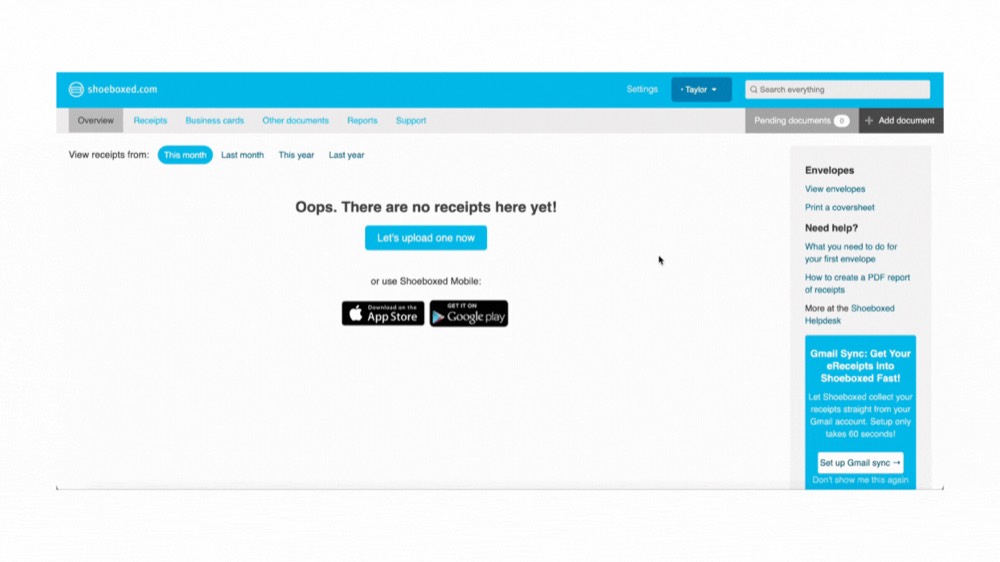
It's super easy to change your Shoeboxed plan at any time. Please make sure to read the benefits of your new plan before making a change, as features and turnaround time vary!
Here's how:
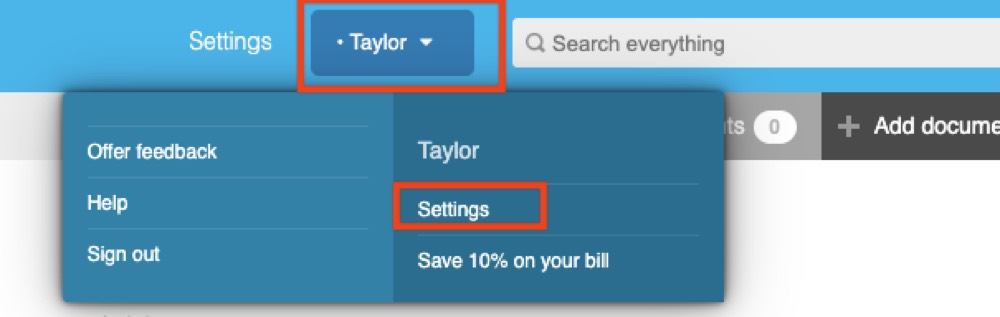
Step 1. Log into your account and click your name at the top of the screen, then select Account settings.
Step 2. Click Change my plan.
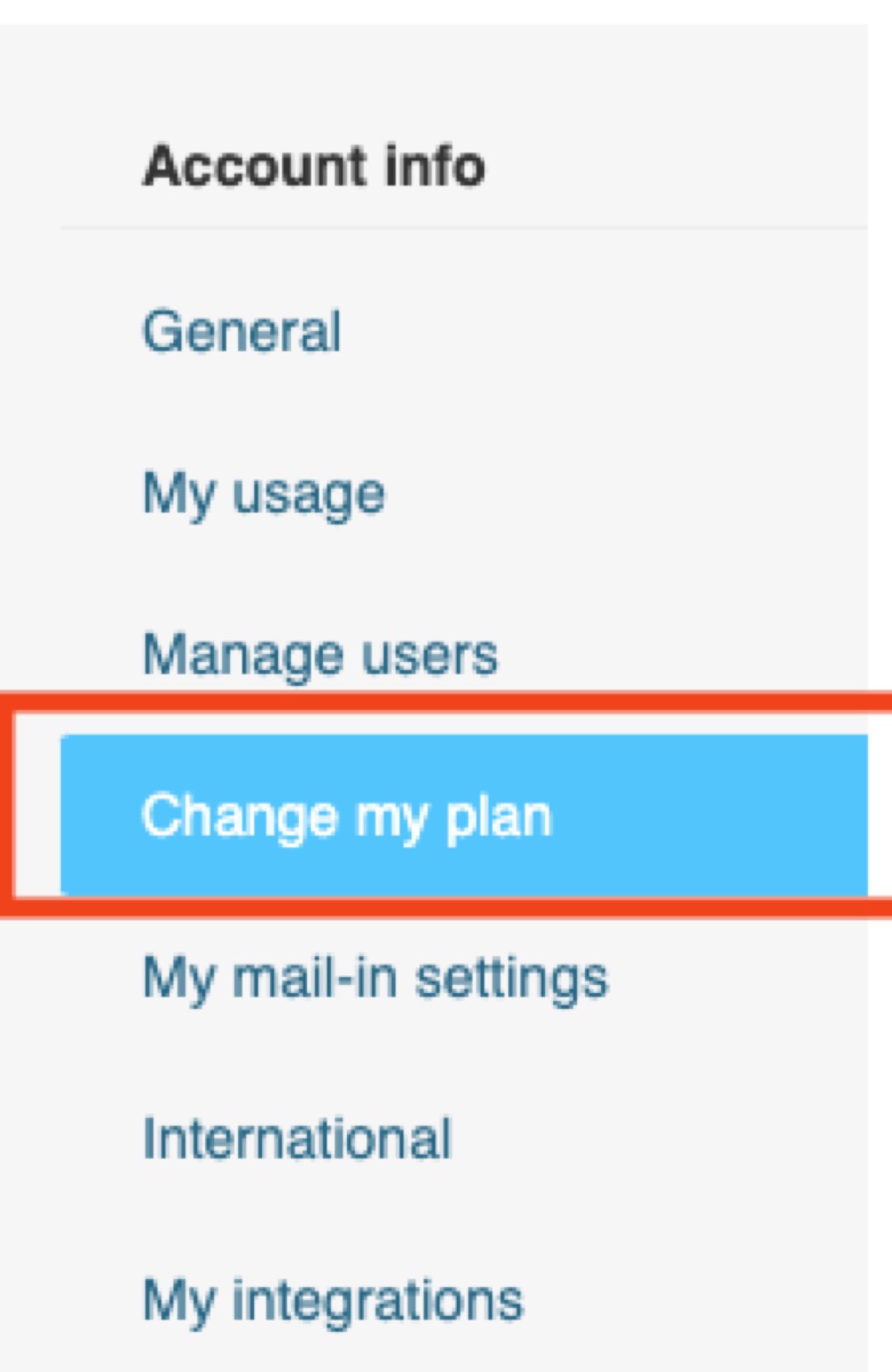
From here you can select a new plan (monthly or annual).