How do I add users to my Shoeboxed account?
Want to add your accountant, bookkeeper, spouse, or team members to your Shoeboxed account? Starter includes 3 users, Pro includes 5, and Plus and Paper Plus include 10.
Here’s how:
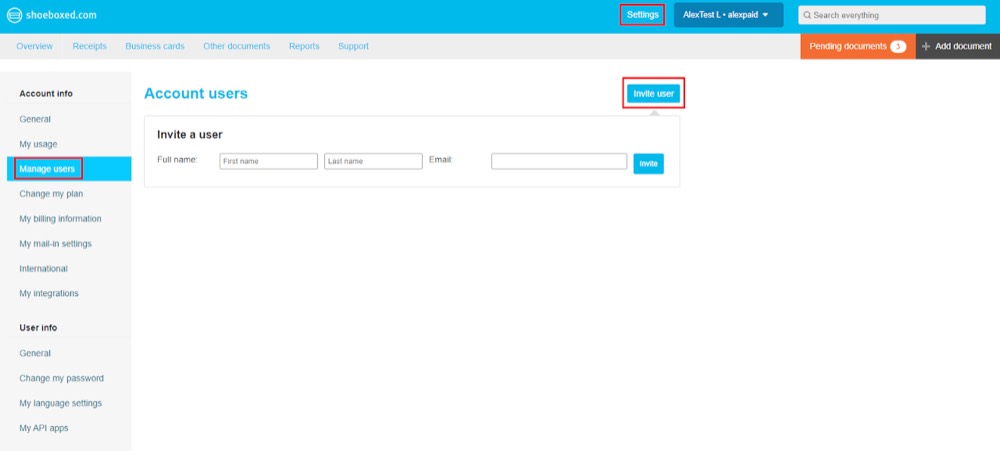
Step 1. In your Shoeboxed account, go to Settings, then navigate to Manage Users.
Step 2. Click on Invite User.
Step 3. Type in their name and email address, then click Invite. All done!