How can I view all of my documents from a particular envelope?
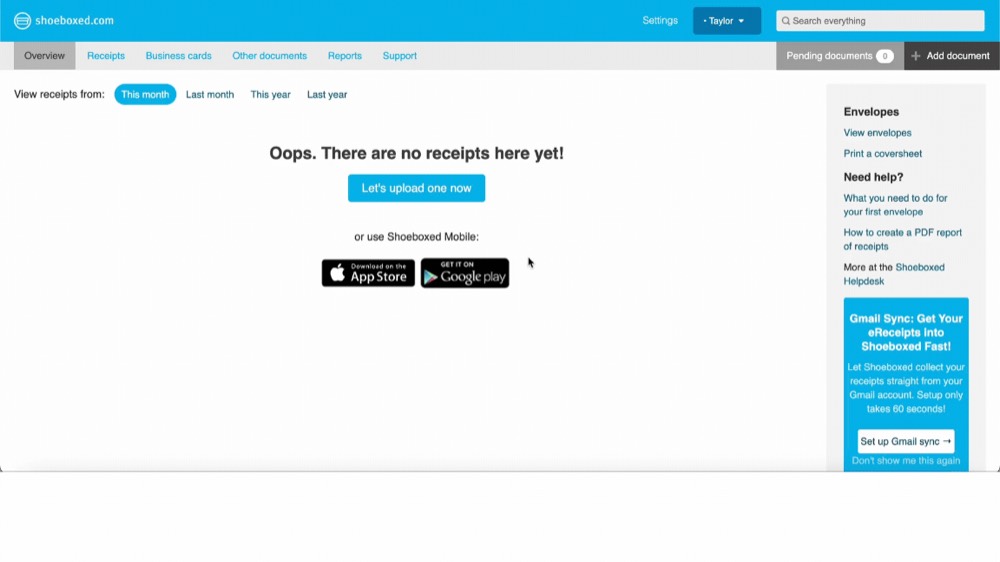
Step 1. To view all of your documents from a particular envelope, click on the View Envelopes quick link on the right hand side of our Overview page.

Step 2. Click View Receipts for the specific envelope you would like to see the contents of.

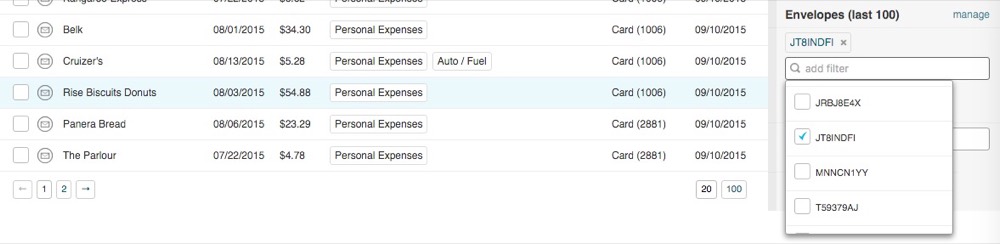
Step 3. You can also filter by envelope using the filter sidebar in your Receipts page.