Line item extraction for zero-effort expense management
 BBB Accredited Business - A+ Rating
- ✓Outsource receipt & document scanning
- ✓Line-item extraction of paper & digital receipts
- ✓Human verification of data
- ✓Reduce audit risk and receipt loss
- ✓Simplify expense management
“To have someone full-time do what I have Shoeboxed do, I probably would have to pay them a salary and benefits of $50,000 a year—it’s a full-time job.”


“...better still is an app called Shoeboxed”

“If you’re looking for reliable storage for digital tax receipts, consider Shoeboxed.”

“Shoeboxed makes it stupid simple to scan receipts...”
Top 4 benefits of outsourcing line item extraction

Outsourcing line item extraction can drastically reduce the time spent on manual data entry and analysis, allowing teams to focus on core business activities.

Outsourcing line item extraction to specialists equipped with advanced scanning software guarantees data accuracy, laying a trustworthy foundation for all your business decisions.

Outsourcing eliminates the need for heavy investment in specialized staff and technology, allowing you to reallocate funds towards areas with higher returns.
Outsourcing line item extraction helps business owners adjust to seasonal peaks or growth phases, handling fluctuating volumes of data without compromising on quality or turnaround time.
How does Shoeboxed’s line item extraction for receipts work?

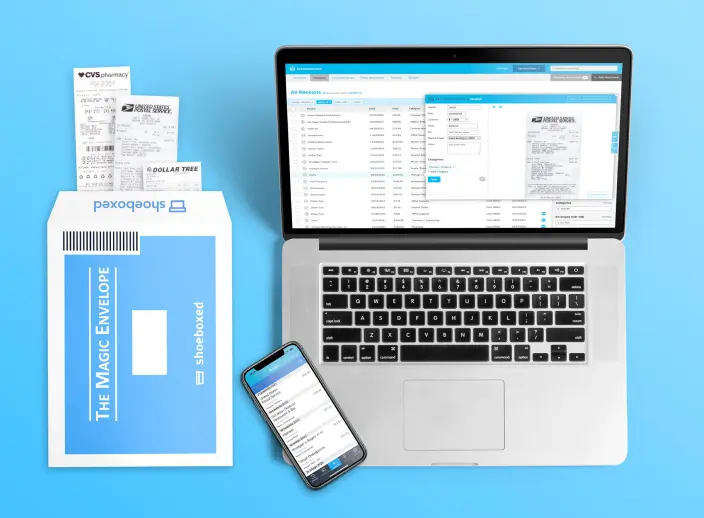
Send receipts to our scanning facility or upload them to your Shoeboxed account.

We scan receipts, extract line items & verify receipt data.

Get notified that receipts are processed and viewable in your Shoeboxed account.

We return or shred the mailed-in documents based on your preference.
Why choose Shoeboxed’s line item extraction for receipts?

Mail-in receipt scanning service painlessly digitizes boxes of receipts

Digital archive of receipts prevents damage-related receipt loss

Receipt scans that meet tax audit requirements

Quick tallying of tax categories streamlines reporting

Built-in expense reports feature reduces hours of tax prep

Account sharing fosters easy check-ins with clients

Unlimited, separate accounts for bookkeeping businesses of any size

Create receipt category tags and rules based on client needs

Return or shred option for mail-in docs based on your clients’ wishes

Integrations with QuickBooks and other popular accounting software
How Shoeboxed systematically extracts line items from receipts
Shoeboxed’s Optical Character Recognition (OCR) data extraction systems use AI to read and process content from physical and digital receipts and documents. The data is OCR-extracted by capturing and reading the text within the image. The line items from the image files are then converted into digital data.
 Case study
Audited by the IRS, this firm used Shoeboxed to validate transactions
“[Shoeboxed] actually saved me during my IRS audit because they would look at the bank statements and then see a transaction and then ask me for the receipt. And I could go and type in the amount or whatever it was, and it would pull up on Shoeboxed.”... Read more
Brooklynn Chandler Willy is CEO and President of Texas Financial Advisory, a wealth management firm. Founded in 2008, the firm works with pre-retirees and retirees to help build financial plans to get them to and through retirement.
At the wealth management firm she runs, Brooklynn was using Earth Class Mail to handle the financial statements that her clients would mail to her. However, it wasn’t a good fit for what she needed it to do.
“I was using Earth Class Mail, where they would take the mail and scan it, but it was not working well. All the mail was 100 pages all scanned into 1 PDF, and it was taking up too much time to break up the PDF based on the individual. Which could be for 48 different accounts.”
Brooklynn found Shoeboxed, a receipt scanning service, provided a better way to generate individual PDF scans per client, which her team then transferred to the firm’s CRM.
Meanwhile, she was still keeping business receipts in Ziplock bags. “I had been paying for Shoeboxed, but not really using it [in that way]. I was pregnant, and I let some things slip.”
Read the full case study here.
Frequently asked questions
Yes. Starter includes 3 users, Pro includes 5, and Plus and Paper Plus include 10. Additionally, we can create sub-accounts for internal departments or any member(s) of your team if you’d prefer to keep their receipts separate for any reason.
“You have the best customer service of any product or service that I’ve used in as long as I can remember.”





 4.4 / 5 on
Capterra, G2 Crowd
and a review score 4.5/5 on
Techradar Pro
Turn business receipts into data & deductibles
Join over 1 million businesses scanning receipts, creating expense reports, and reclaiming multiple hours every week—with Shoeboxed.
Try Shoeboxed Risk-Free