Home Depot Receipt: How to Find Yours (and Why You Should Save Them)
Lost a Home Depot receipt? Pull it from your Pro Xtra account or have any store reprint it. Then save every one for three years. The IRS expects it.

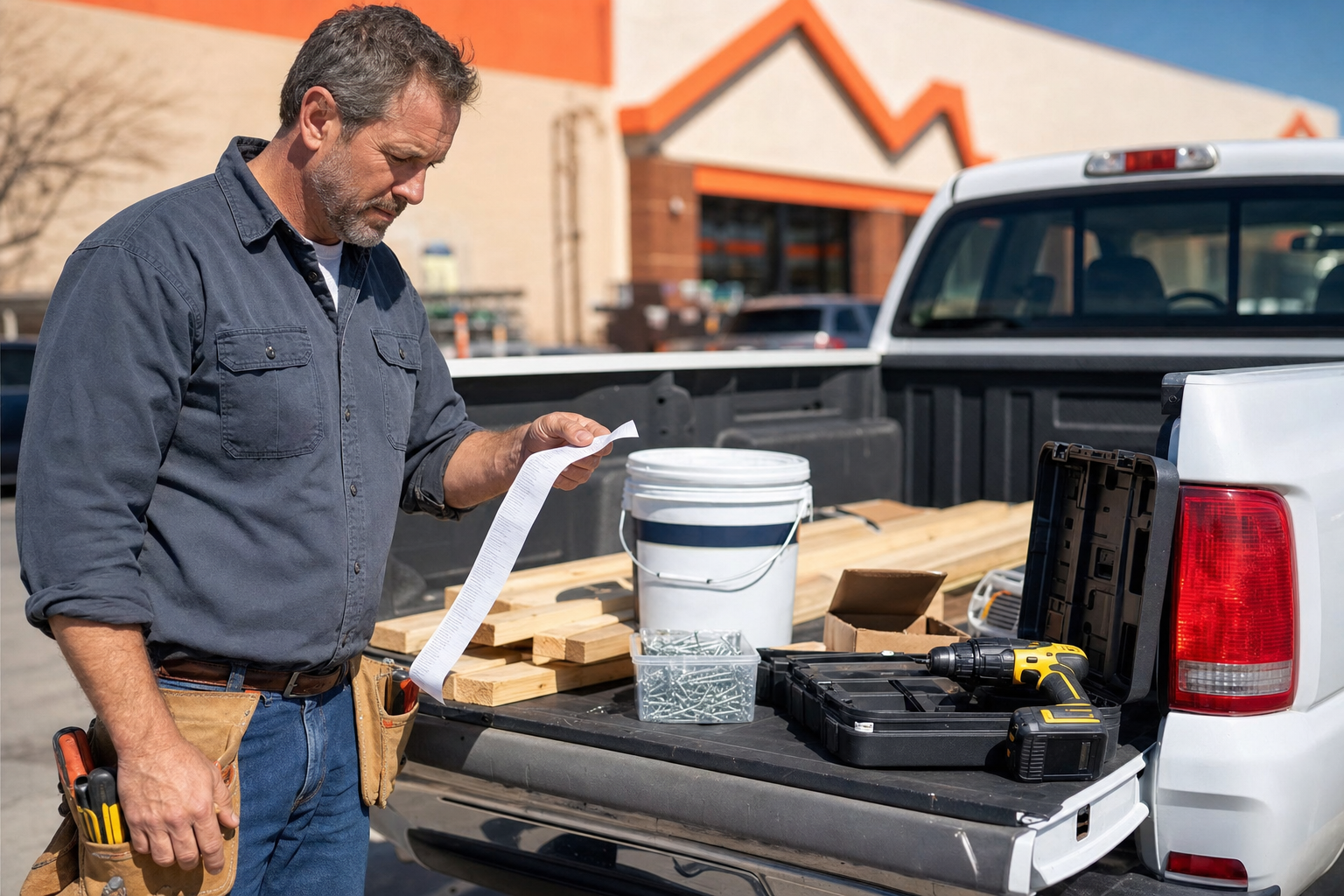
You don't have to call Home Depot or wait in line to find a lost receipt. Every Home Depot purchase tied to a credit card, debit card, check, or Home Depot account is in the system, ready to look up online or at the customer service desk. It takes a couple of minutes.
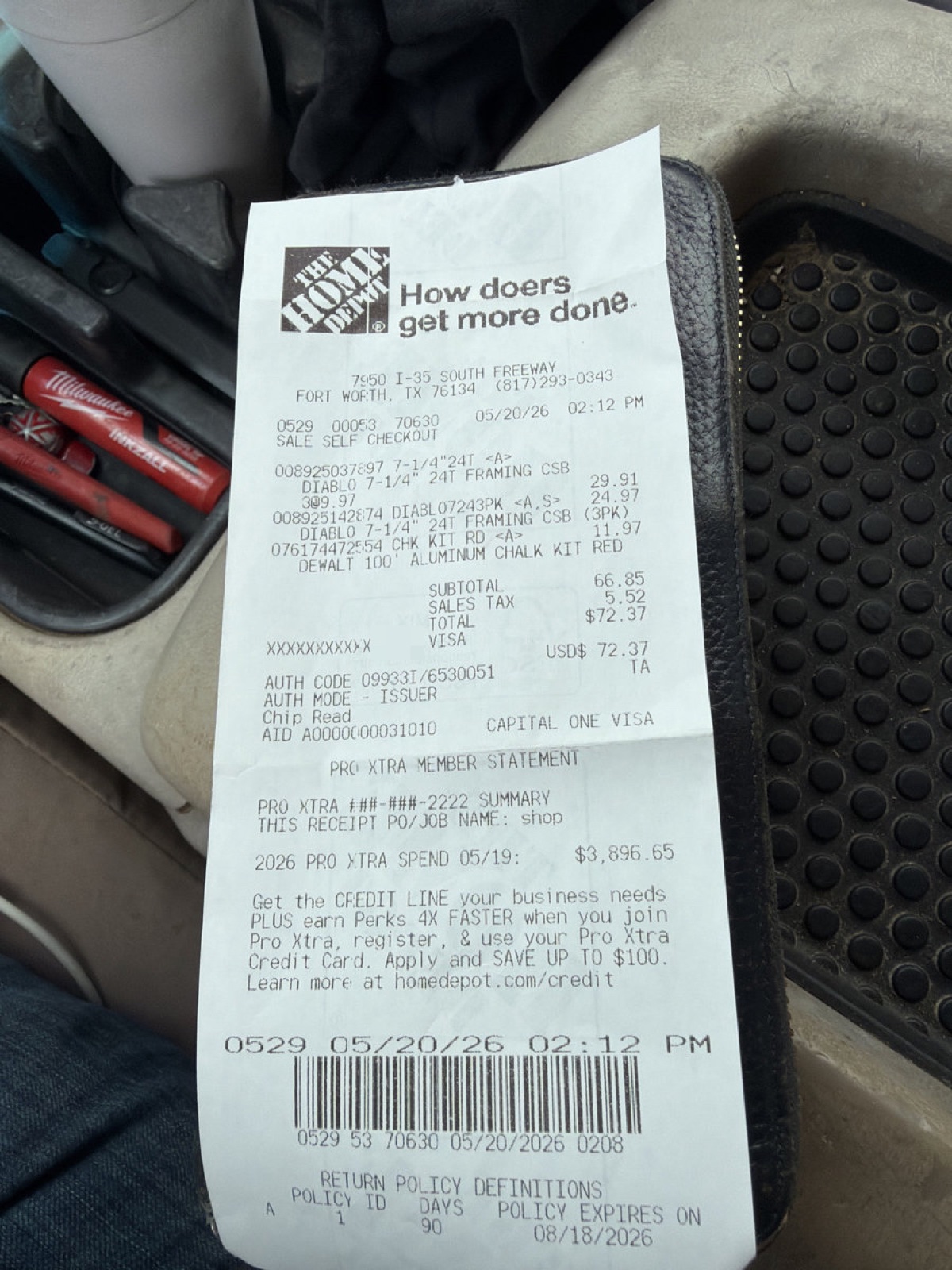 A real Home Depot paper receipt scanned via the Shoeboxed app. PII masked; everything else is the actual receipt.
Below is the walk-through. After that, what to do with your Home Depot receipts if you run a small business.
How to find a Home Depot receipt online
Every Home Depot purchase tied to a My Account or Pro Xtra account shows up in your purchase history online. Pro Xtra, the free contractor loyalty program, keeps two years of receipts on file. Here's how to pull one.
Step 1: Sign in to homedepot.com
Go to homedepot.com and sign in. On a computer, click "sign in" in the top right. On a phone, tap the three lines (☰) in the top left, then tap "sign in." Use the same email you used at checkout. If you don't have an account yet, you can still get the receipt at the customer service desk (see below).
Step 2: Open your purchase history
On a computer, click your name in the top right and choose "purchase history" from the menu. On a phone, tap the three lines (☰) in the top left, then tap your name, then tap "purchase history." Pro Xtra members will see "Pro Xtra" in the menu instead of "purchase history." It's the same menu, but Pro Xtra shows receipts going back two years instead of ninety days.
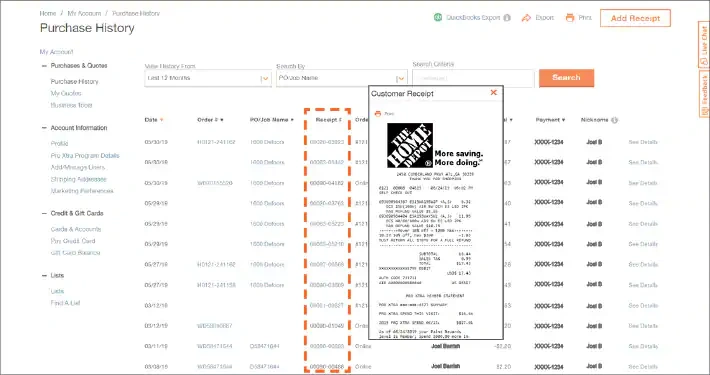
Step 3: Filter to find the order
At the top of the list is a "time frame" dropdown (Last 30 Days, Last 6 Months, Last 12 Months, or Custom). Pick the range that covers when you bought the item. You can also filter by where you bought it (in-store or online) and by which card you paid with.
Step 4: View or print the receipt
Tap or click the order. On the order details screen, tap "view receipt." A PDF opens. On a computer, save it or print it from your browser. On an iPhone, tap the share icon (the square with the up arrow) and choose "save to files." On Android, tap the three dots and choose "download." Save it to a folder, email it to your accountant, or forward it to your Shoeboxed address.
How to get a Home Depot receipt at the customer service desk
If you paid with a credit card, debit card, or check, you have thirty days from the purchase date to walk up to any Home Depot and get a reprint. Bring the card you paid with and a photo ID. Tell the cashier: "I need a duplicate receipt from a purchase on [date]. Here's the card I used." They look up the transaction and print a copy. No fee, no appointment.
If you used the Home Depot Consumer Credit Card or the Project Loan card, that window stretches to a year. Pro Xtra members can pull receipts up to two years back, either at the desk or online.
How to get a Home Depot receipt by email at checkout
At the register, the cashier will ask if you want a paper receipt, an email receipt, or both. Pick email and tell them the email address to send it to. The receipt lands in your inbox a few minutes later. Save it the moment it arrives. Three years from now you'll be glad you did.
For online purchases, Home Depot emails the order confirmation automatically. That email is the receipt. Forward it to your Shoeboxed address and we'll file it for you.
If you're running a small business, the IRS expects you to save your receipts
Most people land here needing one receipt: a counter return, a client reimbursement, or a charge they don't recognize.
But if you run a small business, get paid via 1099, or file a Schedule C, the IRS has a rule about every business-related receipt: keep it for at least three years after you file the return that includes it.
That's from IRS Publication 583. Three years is the default, though some situations stretch to six. The IRS doesn't care that you bought from Home Depot; they care that you can prove the expense was real, what it was for, and that it was for business.
Say you're a general contractor on a bathroom remodel last spring. You ran to Home Depot in the morning for $400 in drywall, mud, tape, and a new drywall sander, then drove twelve miles to the jobsite. At lunch you ran back for two more sheets and a bag of screws because you under-bought, and you drove home that evening with leftover materials in the truck bed.
The $400 in materials is a regular business expense your accountant will subtract from your income on Schedule C. The drywall sander is equipment, which means under a rule called Section 179 you write off the whole purchase the year you bought it instead of spreading it across five years. And every leg of the truck (Home Depot to jobsite, jobsite to Home Depot, jobsite to home) is business mileage at 72.5 cents per mile in 2026. All of it deductible.
In 2027 or 2028, if the IRS asks, you need those Home Depot receipts to prove it. "Let me log into my Pro Xtra account and find them" works most of the time, but it stops working the day you can't remember which card you paid with, or the purchase has aged past the lookup window, or you paid cash for a small run and never tied it to your account.
The problem isn't one receipt today. It's every receipt you might need three years from now.
Shoeboxed is the easy way to never lose another receipt
Snap a paper receipt with the Shoeboxed app, or mail us a shoebox of them and we scan them for you. If your receipts arrive by email, our Gmail Receipt Sync tool watches your inbox and pulls the receipt emails out automatically. We read each one for the store, the date, the total, and the expense category, then file it in your Shoeboxed account. Search by vendor or export the whole pile to your accountant at tax time. No more digging through Home Depot's order history.
Since 2007, we've processed more than 1,000,000 Home Depot receipts. Most belong to small-business owners on a supply run: general contractors picking up lumber and drywall screws for the next job, house flippers loading the truck with paint and flooring, landlords grabbing a new water heater for a tenant turnover, and handymen restocking the van between calls. We've seen what most people miss.
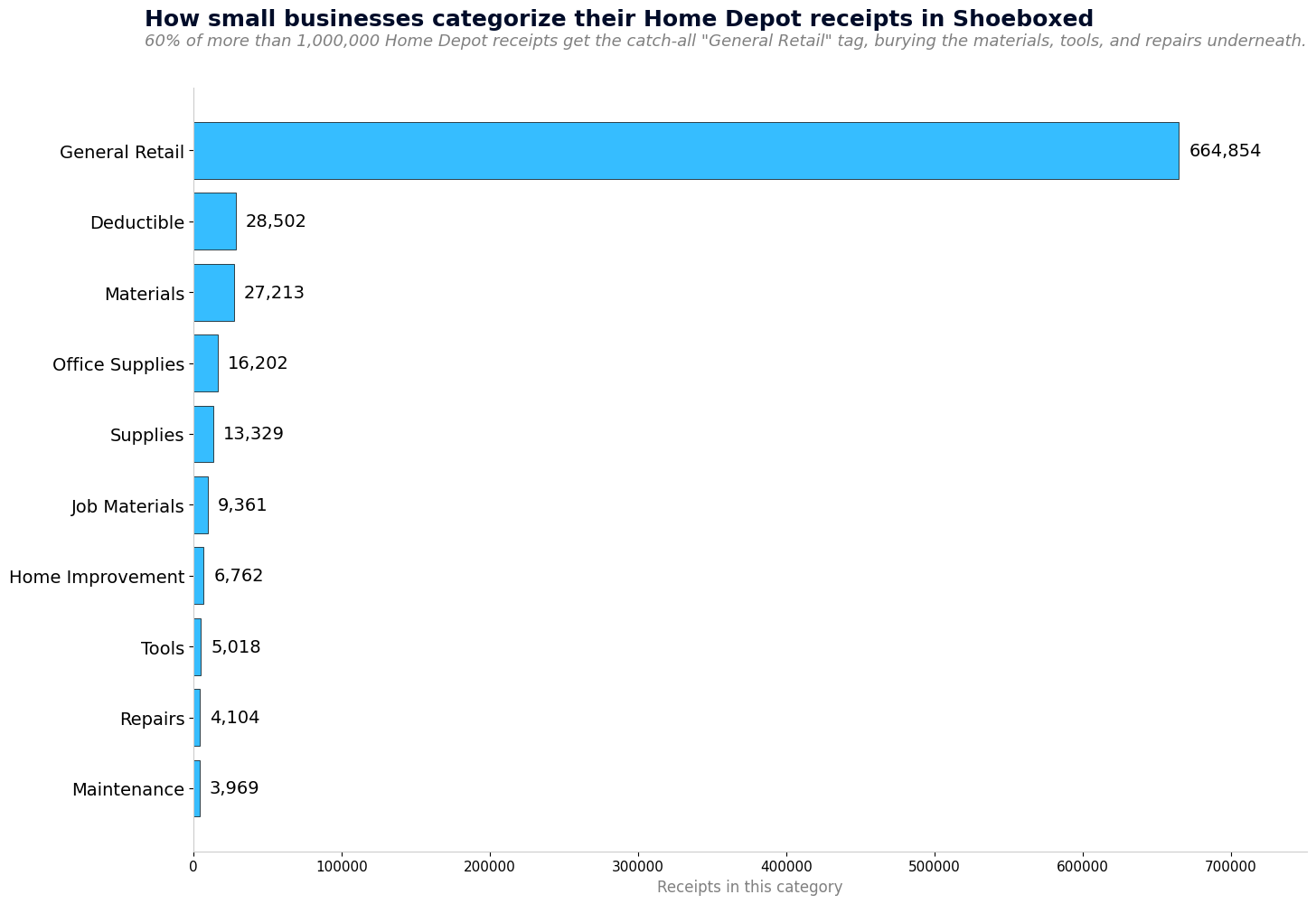 Top categories small businesses use for their Home Depot receipts in Shoeboxed. 60% get the catch-all 'General Retail' tag, which buries the Materials, Job Materials, Tools, Repairs, and Maintenance lines that are sitting underneath.
When we scan a Home Depot receipt, our software picks a category for you. About six out of ten land in "General Retail," a generic label that doesn't tell you (or your accountant) what the run was actually for. You can rename any category in two clicks if you want, but most people never look. The smaller bars are the real story: Materials, Job Materials, Tools, Office Supplies, Home Improvement, Repairs, Maintenance. Every one is a deduction the "General Retail" tag hides.
Two tax deductions you're probably missing on your Home Depot runs
Two more deductions sit next to every Home Depot run, and most small-business owners miss them: the drive there (mileage), and the home office where the supplies end up.
Home office
If you work from home even part of the week, a slice of your rent or mortgage, utilities, internet, and home insurance is deductible. Anytime you buy a desk lamp, shelving unit, surge protector, file cabinet, or a portable AC unit at Home Depot for that home office, those receipts are separate deductions on top of the home office deduction itself.
You may have heard claiming a home office is an audit red flag. That hasn't been true for years. The IRS simplified the rule in 2013 with a method that pays $5 per square foot up to 300 square feet (Pub 587), no receipts required. Take the deduction. And the chair you bought at Home Depot for that home office is a separate line on Schedule C, not part of the home office deduction. Two deductions, not one.
If you've never run the math, take two minutes with our free home office deduction calculator. It pulls your home's square footage from your address and estimates your annual savings. No signup, no email required. Just the number.
Mileage
If you drove to a Home Depot to pick up lumber, drywall, paint, tools, or job materials, then on to the jobsite, both legs are deductible business mileage. If you drove back later to return unused materials, that's a third deductible drive.
The IRS lets you deduct those drives at the 2026 standard business mileage rate of $0.725 per mile.
If you drove to a charity to drop off donated items you bought at Home Depot, that drive is also deductible as charity mileage. The charity mileage rate is 14¢ per mile under IRS Publication 526. It's a different rate than business mileage, but it counts.
The Shoeboxed app uses your phone's location to keep a quiet record of every drive in the background. At the end of each day, it texts you the list. Reply which trips were business, medical, or charity, and we save a tax-ready mileage log inside your Shoeboxed account: date, miles, IRS rate, total. When tax time comes, the document your accountant needs is already done.
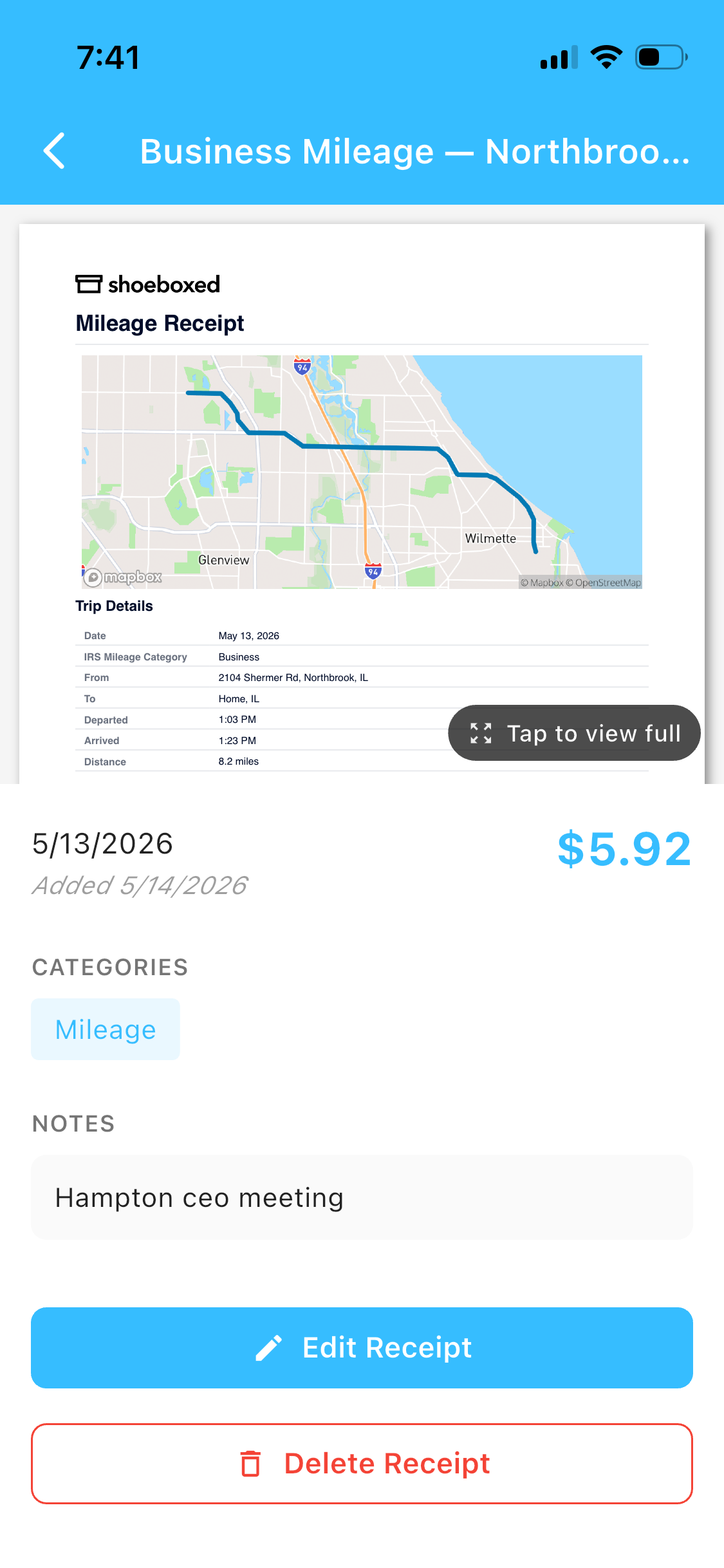 This is a real Shoeboxed mileage receipt. The map and IRS-rate calculation come from GPS. The trip note came from one SMS reply.
Tools and equipment
A power tool, a ladder, or a generator from Home Depot counts as equipment, not a supply. Under a rule called Section 179, you can deduct the whole purchase the year you bought it instead of spreading the cost over five years. The 2026 Section 179 limit is $2,560,000 a year (per IRS Pub 946), so a contractor's drill, saw, ladder, or generator fits easily. The Home Depot receipt is what proves the deduction. Lose it and the deduction is gone.
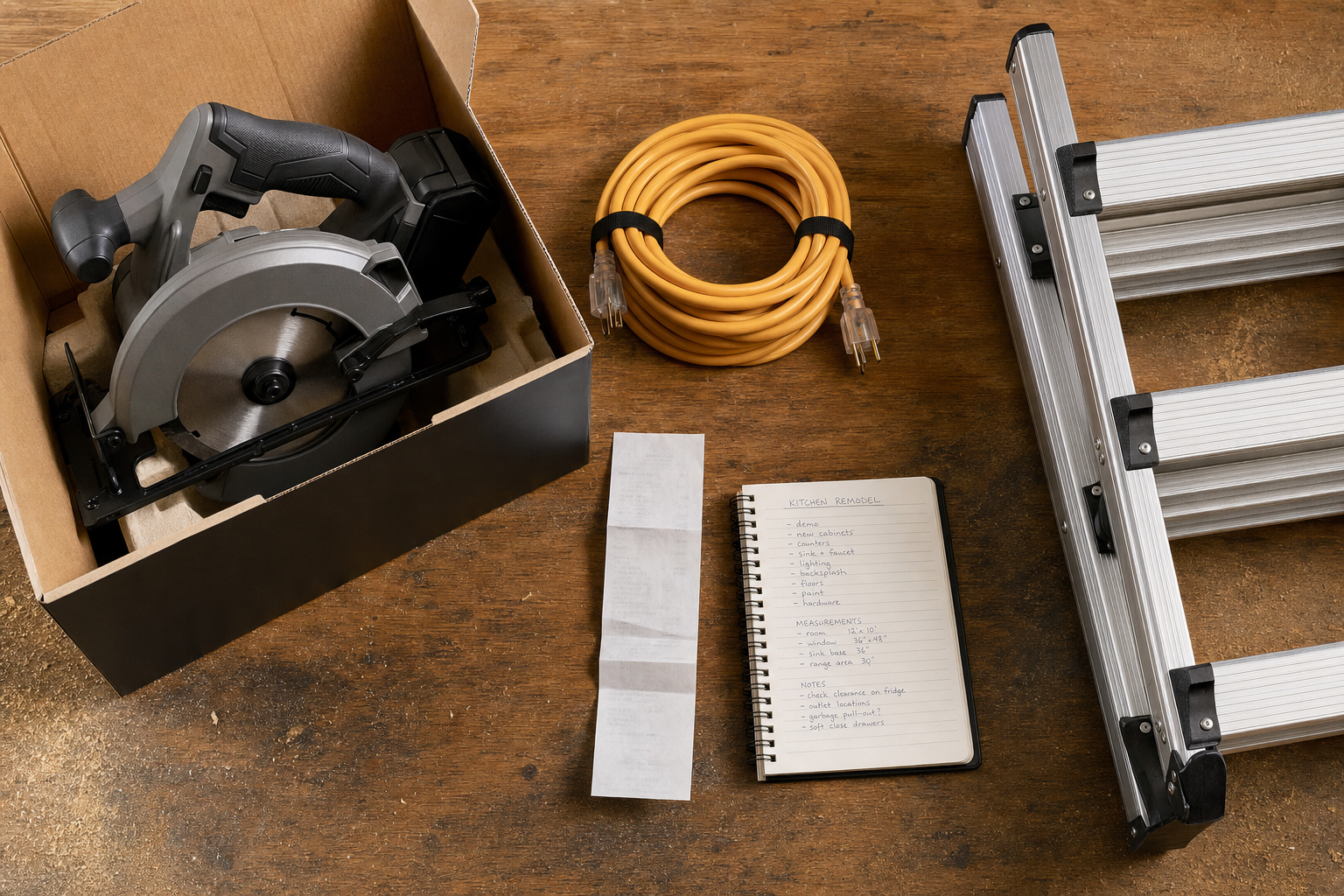 A circular saw, an extension cord, and a ladder bought for a kitchen remodel. Section 179 lets contractors write the full cost off the year they buy them. The receipt is what proves it.
All your options for saving receipts, honestly
Shoeboxed isn't the only way to do this. Here's the honest comparison.
- Shoeboxed app. Snap a pic to log a receipt. The app also tracks your drives via GPS automatically. At the end of each day we text you the trip list, you reply which ones were business, medical, or charity, and we file the mileage receipt. You get both deductions in one app, plus a tax-ready export when you need it. This is the one I'd recommend to a friend. Full disclosure: I bought the company in 2025; I was a customer for years before that.
- Shoeboxed Magic Envelope. Mail us your shoebox of paper receipts; we scan, categorize, digitize. This is the original Shoeboxed service, built for people who still get paper receipts and want them digitized without doing it themselves.
- Email-to-Shoeboxed. Home Depot emails the order confirmation for every online purchase. Forward those to your unique Shoeboxed address and we'll file the receipt automatically. For in-store purchases, ask the cashier to email you a copy and we'll catch that too, or snap the paper receipt with the Shoeboxed app on the spot.
- Paper folder or accordion file. It works, but thermal receipts fade in a year or two, paper gets lost, and good luck searching the pile when your accountant asks for a specific receipt from March 2024.
- Google Drive or Dropbox. Better than paper alone, worse than a tool built for receipts: no OCR, no categorization, no tax-ready export. You're using a photo gallery as a filing cabinet.
- Photos on your phone. Fast and free, with the same trade-offs as Google Drive: your camera roll becomes a mess, and good luck finding the right receipt three years later.
A system you use beats a perfect one you don't. If you're a paper-folder person and you'll stick to it, the paper folder is fine. Most people don't stick with it. The Magic Envelope was invented for them.
Frequently asked questions
Can I look up a Home Depot receipt online without my paper copy?
Yes. Sign in to homedepot.com, click your name in the top right, and choose "purchase history." Anything you bought while signed in (or paid for with a card linked to your account) shows up there. Pro Xtra members get two years of receipts on file; everyone else gets ninety days.
Can Home Depot reprint an in-store receipt I lost?
Yes. If you paid with a credit card, debit card, or check and you're inside thirty days of the purchase, any Home Depot can reprint the receipt at the customer service desk. Bring the card you paid with. For Home Depot Consumer Credit Card or Project Loan purchases, the window stretches to a year. Pro Xtra members get two years.
What is Pro Xtra and why does it matter for receipts?
Pro Xtra is Home Depot's free loyalty program for contractors and small businesses. It tracks every purchase tied to your account for two years, generates per-job expense reports, and lets you re-order materials in one click. For receipt retention, it's the single most useful thing a contractor can sign up for at Home Depot. The receipts stay online and ready when tax time comes.
How long do I need to keep my Home Depot receipts?
If you deducted the purchase as a business expense, the IRS expects you to be able to show the receipt for at least three years after you filed the return (Pub 583). Some situations stretch to six years. For materials, tools, and job supplies, save every one. They're either cost of goods, Section 179 equipment, or repairs and maintenance, and each is a deduction.
Are tools and equipment from Home Depot deductible?
Yes. Under a rule called Section 179, you can deduct the whole purchase of a power tool, ladder, generator, or table saw the year you bought it for the business, instead of spreading the cost across five years. The 2026 Section 179 limit is $2,560,000 a year (per IRS Pub 946), well above what a typical contractor will spend on tools. The Home Depot receipt is what proves it. Lose the receipt and the deduction is gone.
Save the next one
The bigger win is saving the next receipt the moment you get it, so you never have to hunt again. The IRS expects small-business owners and 1099 contractors to keep these for three years. Saving them as they arrive beats hunting for them three years later.
Try Shoeboxed
Pick your platform. Both mobile apps come with a 7-day free trial. The web signup is a 30-day risk-free trial. If it doesn't save you time, money, or both, you get your money back.


Or sign up online.
About the author. I'm Doug. I bought Shoeboxed in late 2025 with an SBA loan after fifteen years of running other people's companies as CEO. I'd used Shoeboxed myself back in 2010 at a previous gig and called it magical even then. I use it daily now. Small business owners deserve every dollar they're legally entitled to keep, which is why I bought Shoeboxed and work hard to make it better.




 4.4 / 5 on